Best laptops for Physics students UK 2026 (£700 / £1,000 / £1,350)
We started with the software Physics degrees actually make you run, then let the engine pick - at £700, £1,000 and £1,350.
The Plample Team
Published · 8 min read
Introduction
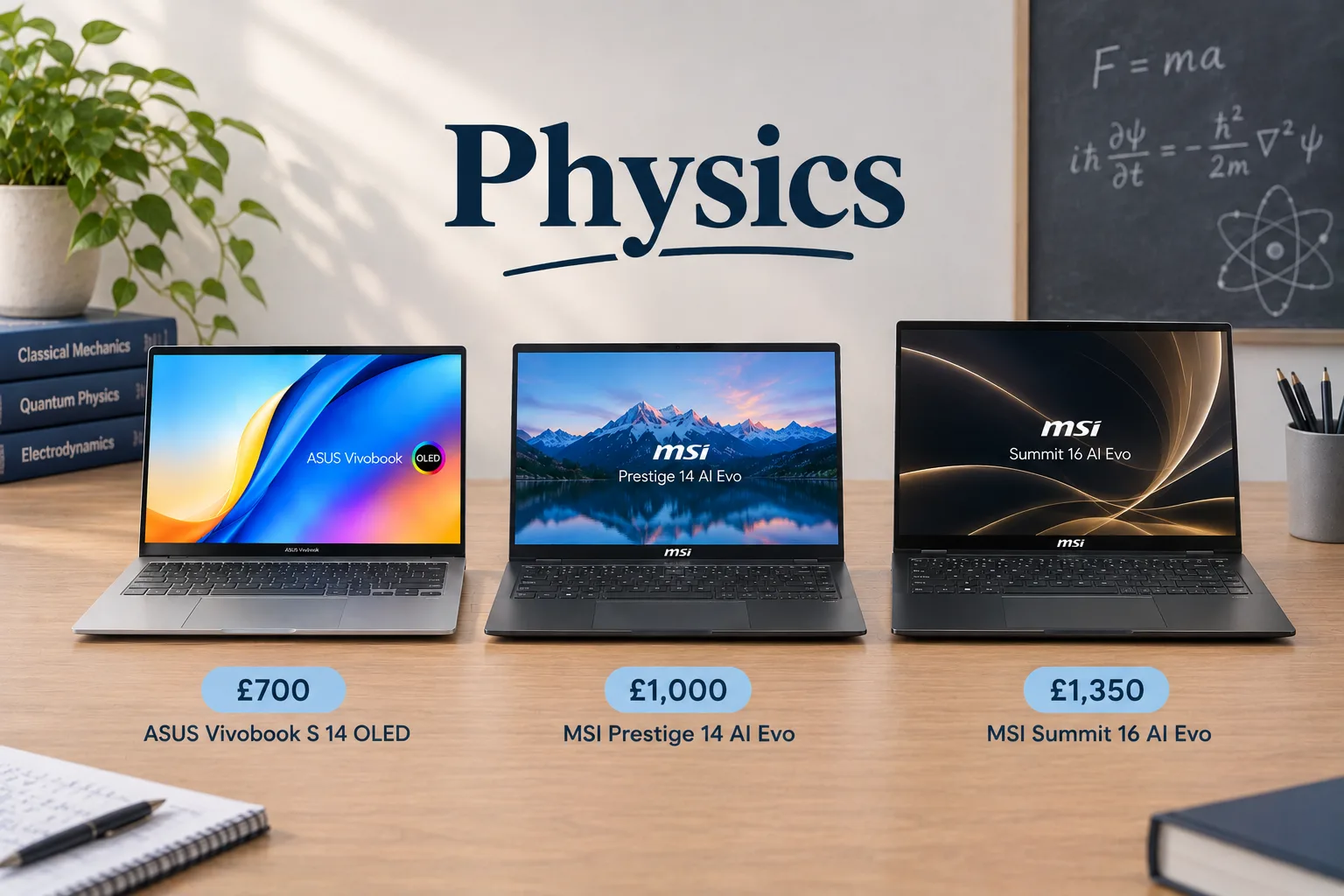
If you are just about to start or currently undertaking a Physics degree (this blog also covers Astrology, Physics with Astrophysics/Astronomy, Theoretical Physics and other related courses), it can be hard finding the right laptop for you and your degree, This is why we've crunched the numbers, scoured the internet and found the best laptops for you at different price points. In short, these are what we recommend:
- £700 - ASUS Vivobook S 14 OLED (S5406, Intel Core Ultra Series 2) Model 1 - https://www.plample.com/spec/gb/asus-vivobook-s-14-oled-s5406-intel-core-ultra-series-2/1
- £1000 - MSI Prestige 14 AI Evo (C1Mx) Model 2 - https://www.plample.com/gb/msi-prestige-14-ai-evo-c1mx/2
- £1350 - MSI Summit 16 AI Evo (A2HMx) Model 1 - https://www.plample.com/spec/gb/msi-summit-16-ai-evo-a2hmx/1
You may be thinking why we have recommended these laptops out of the thousands being sold? Why no Macs? So first, we need to look at the software you will be using for your degree and the hardware needed to run them. Here we go!
Please note that all information in this article is correct up to Tuesday 3rd November 2026 so there may be slight changes in prices and availability of the laptops from when the article was published.
The software you'll be using
We've managed to find all the important software that you will be running during your Physics degree and the specs you need for them. This full list along with the list for other subjects can be found on the Plample website.
- Python - core programming language and software used from Year 1. Usually used alongside MATLAB for Oxford. Very low laptop requirements with a CPU score of 452, GPU score of 691 and 8GB RAM being enough to run it.
- MATLAB - core programming language and computing platform used from Year 1 for computing and analysis work. Medium laptop requirements with a CPU score of 846, CPU score of 1,682 and 16GB RAM being plenty.
- LaTeX/Overleaf - core writing and publishing software used from Year 1 for writing up lab reports. Extremely low laptop spec needs with a CPU score of 452, GPU score of 321 and a tiny 4GB RAM being able to run the software comfortably.
- Excel/Origin - I'm sure you are aware of Excel but Origin is another data analysis tool which you will use for lab data and analysis from Year 1. Excel sets the bar for the CPU with a score of 557 with another data analysis software Golden Software setting the other ceilings with a GPU score of 691 and 8GB RAM.
- LabView - specialist graphical programming platform used for instrumentation labs usually from Years 2 or 3 if you take certain modules. Please note that LabView does not run natively on Mac laptops which is why we don't recommend that you get a Mac for your Physics degree. LabView also sets the ceiling of all Physics software with a minimum CPU score of 708, GPU score of 3,516 and 16GB RAM being needed to run it.
- Origin Lab - branch of traditional Origin and is a specialist software used for curve fitting and plotting. Reasonable laptop spec needs with a CPU score of 452, GPU score of 691 and 16GB RAM.
- C/C++/Fortran - all specialty programming languages used for computational physics normally in Years 2 to 3. All have the exact same minimum laptop requirements as Origin Lab.
- ROOT - open source, object-oriented specialist software framework typically used in Years 2 or 3 for any particle or nuclear physics modules. Has the exact same minimum laptop requirements as Origin Lab and C/C++/Fortran.
- Python (NumPy/SciPy/Matplotlib), Jupyter - all are specialist software used from Year 2 onwards for analysis and simulation work. All of these software have the exact same laptop requirements as the previous 2 on this list.
- Microsoft Office - includes Word, PowerPoint and Teams which are used for writing and coursework throughout your degree. Also has the same minimum requirements as the previous 3 on this list.
- Astropy/DS9/IRAF (astro); CUDA/HPC (computational) - both are elective (so depending on the modules you take) toolkits and environments used for astrophysics and computational research. Also has the highest minimum laptop spec requirements with a CPU score of 1008, GPU score of 11,195 and 32GB RAM needed to run it.
Overall, if we exclude the elective software which has a fairly high minimum spec requirement, all the others seem to be pretty reasonable. With LabView setting the ceiling here with 16GB RAM along with moderate CPU and GPU scores, it should be easy to find a reasonably priced laptop hitting these requirements. In fact, most modern laptops will serve these spec needs so you will easily find a laptop that will be perfect for your Physics degree.
The Recommendations
So here we are, what we recommend as the best laptop for Physics for each price point.
£700: ASUS Vivobook S 14 OLED
ASUS Vivobook S 14 OLED (S5406, Intel Core Ultra Series 2)
ASUS
Match
Near perfect match
How this laptop scored against a physics software profile
What buyers have liked
85% for the programming and lab software your degree runs, powered by the Intel Core Ultra 5 226V
79%, with the Intel Arc Graphics 130V excellent on power draw at 92/100
92%, delivering strong performance for its £599.99 price
We're an affiliate partner of Amazon, so if you buy through this link we get a commission. It costs you nothing extra.
The budget option we recommend for Physics students is the ASUS Vivobook S14 which is going for £699.99 at the moment on Amazon. The Vivobook comes with an Intel Core Ultra 5 CPU, Intel Arc Graphics GPU, 16GB RAM and 512GB SSD. Reviewers have raved about the battery life, which some people have reported to last up to 20 hours which is ideal for long days at university. The OLED display has also been described as vivid and having good colour accuracy, which is ideal for some of the graphing and analysis software you will be running during your Physics degree. Users have commented that the Vivobook has a solid build quality and lightweight design which is perfect when commuting to university.
Even with the many positives the Vivobook has, there are still a few downsides which are worth considering. Users have reported the webcam's privacy shutter is difficult to operate alongside the glossy display surface causing reflections, which may impact on your ability to work outside during sunny weather. The CPU performance is comparatively lower compared to competitors, but for a low-to-mid-range laptop that is also to be expected. Finally, keyboard backlighting may not be effective due to the light-coloured keyboard which might make working at night slightly more challenging.
£1,000: MSI Prestige 14 AI Evo
MSI Prestige 14 AI Evo (C1Mx)
MSI
Match
Very strong match
How this laptop scored against a physics software profile
What buyers have liked
81% for your core Physics software, powered by the Intel Core Ultra 5 125H
98%, with a 1TB SSD leaving plenty of room for your files
72%, with the Intel Arc (7-Cores) very good on power draw at 89/100
We're an affiliate partner of Amazon, so if you buy through this link we get a commission. It costs you nothing extra.
For the mid-range option we have the MSI Prestige 14 which is selling for £999 on Amazon currently. The Prestige 14 comes with an Intel Core Ultra 5 125H CPU, Intel Arc (7-Cores) GPU, 16GB and a whopping 1TB SSD. Reviewers have praised the solid battery life which comes in at 12 hours, plenty for full days at university. The Prestige also comes with a decent range of ports with 1x USB-A, 2x USB-C, HDMI, Ethernet and an audio jack with Ethernet especially being handy to have.
Although, there are a few downsides which are worth thinking about before buying it. Reviewers have mentioned that the keyboard can feel cramped at times with small keys leading to typing errors. Additionally, users have stated the audio quality is poor by lacking depth and clarity. Finally, whilst the display is bright it lacks the same vibrancy as an OLED display like the Vivobook.
£1,350: MSI Summit 16 AI Evo
MSI Summit 16 AI Evo (A2HMx)
MSI
Match
Near perfect match
How this laptop scored against a physics software profile
What buyers have liked
86%, with 19% headroom above the threshold needed for your degree's software
100%, with 32GB meeting the ideal for heavy multitasking
84%, with the Intel Arc 140T very good on power draw at 89/100
We're an affiliate partner of Amazon, so if you buy through this link we get a commission. It costs you nothing extra.
And finally for our premium option we have the MSI Summit 16 which is coming in at £1,306.99 on Amazon. The Summit comes with an Intel Core Ultra 7 255H CPU, Intel Arc 140T GPU, 32GB RAM and 1TB SSD. Given its powerful CPU and GPU, there is no surprise that the Summit offers strong performance which is ideal for the software you will be running for Physics. Battery life also comes in at 12 hours, which will be plenty to last a full day at university. The build quality is also top-notch and robust with a MIL-STD-810G certification, meaning it will survive hectic commutes to uni. Finally, the port selection is also extensive with ports including 2x USB-A, 2x USB-C, 1x HDMI, 1x audio jack and 1x SD Card reader.
However there are a few drawbacks which are worth mentioning. It is a very heavy laptop, weighing in at 1.9kg which is worth thinking about if you have a long commute to university. Reviewers have also stated that the display has a mediocre brightness and colour accuracy, which may impact on your ability to work outside when it's sunny. For those who value watching TV shows and films on your laptop, reviewers have stated the audio quality as poor so you may need to wear headphones to get the best experience. Lastly, users have also expressed that the trackpad has a mushy feel and lacks smooth navigation.
Conclusion
And there you have it – the best laptops to get for your Physics degree at a range of different price points. Of course, you may have a different budget in mind or you might be open to having refurbished models instead, both of which you can check out on the Plample website. There's no better place to find your perfect laptop match. It's plain and simple.
Skip the spec-sheet stress.
Answer a few plain-English questions and Plample matches you to laptops that fit your needs, budget and the software you actually use.
Find my match →