Best laptops for Maths students UK 2026 (£650 / £900 / £1,500)
We looked at the software UK Maths degrees actually require, then let the engine pick the best laptop at £650, £900 and £1,500.
The Plample Team
Published · 7 min read
Introduction
If you are just about to start or currently undertaking a Maths degree (this blog will also cover Maths & Statistics, Applied/Pure Mathematics and other related courses), it can be hard finding the right laptop for you and your degree. This is why we've crunched the numbers, scoured the internet and found the best laptops to get at different price points. In short, these are what we recommend:
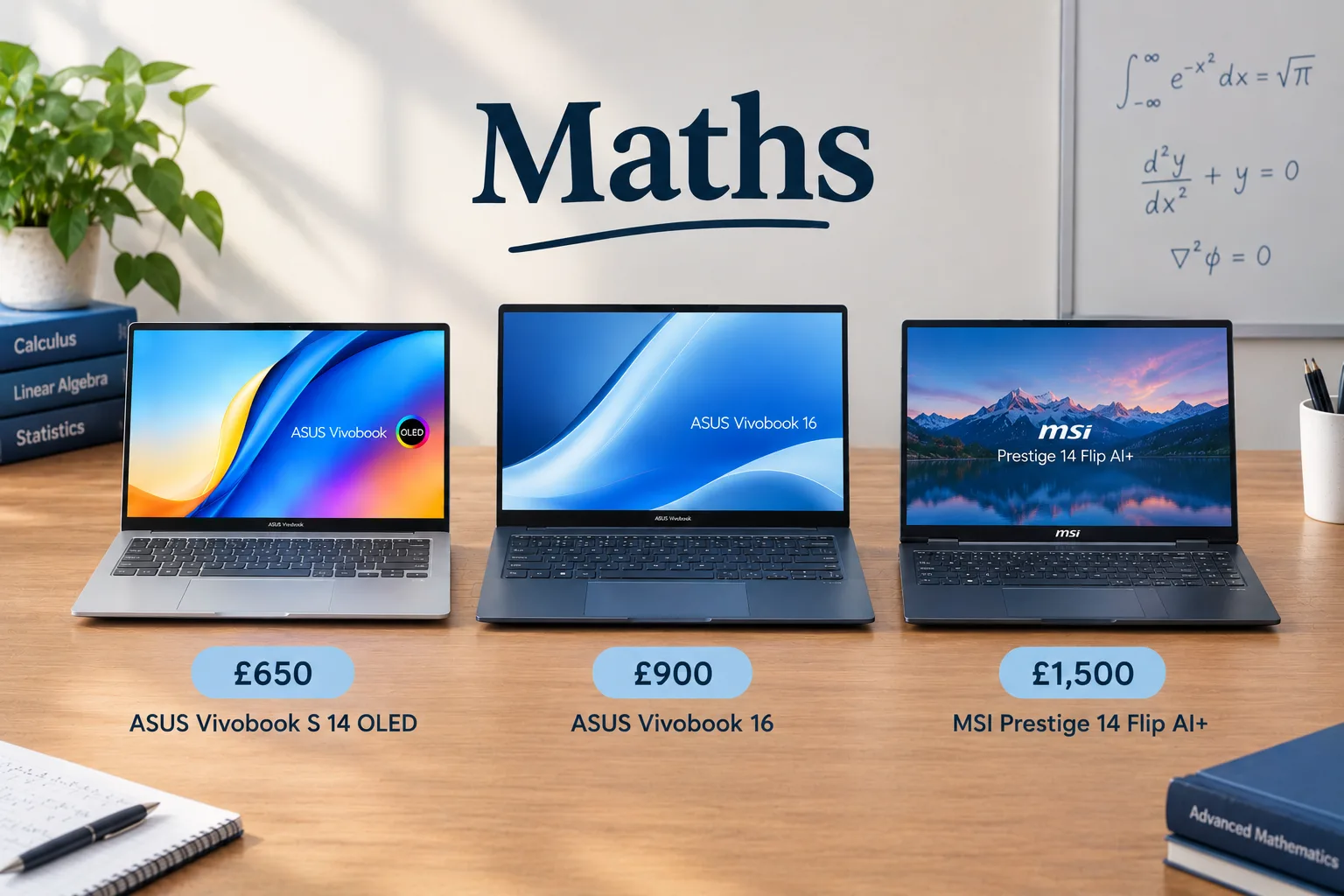
£650 – ASUS Vivobook S 14 OLED (S5406, Intel Core Ultra Series 2) Model 1 £900 - ASUS Vivobook 16 (M1605) Model 4 £1500 - MSI Prestige 14 Flip AI+ (D3Mx) Model 1
You may be thinking why we have recommended these laptops out of the thousands being sold? Why no Macs? So first we need to look at the software you will be using for your degree and the hardware needed to run them. Here we go!
Please note that all information in this article is correct up to Saturday 24th October 2026 so there may be slight changes in prices and availability of the laptops from when the article was published.
The software you'll be using
We've gone through the software you'll run during a Maths degree and the specs each one needs. The full list, along with lists for other subjects, is on the Plample website.
- MATLAB - core software from Year 1 or 2 depending on the uni, used for computational maths. Needs a CPU score of 846, GPU score of 1,682 and 16GB RAM.
- Python - a core programming language used extensively from Year 1 onwards for numerical methods. Lower requirements: CPU score of 452, GPU score of 691, 8GB RAM.
- R/RStudio - core software from Year 1 or 2 for statistics work. RStudio is the IDE that makes programming in R easier. Same spec requirements as Python.
- LaTeX/Overleaf - core software from Year 1 for writing mathematics. Overleaf is the cloud-based tool that hosts LaTeX for scientific and technical documents. Even lower requirements: CPU score of 452, GPU score of 321, 8GB RAM.
- Maple - specialist software from Year 1 or 2 for computer algebra, used to solve, analyse and visualise maths problems. Same requirements as Python and R.
- Mathematica - specialist software for symbolic computation. Slightly higher requirements: CPU score of 708, GPU score of 691, 16GB RAM.
- Minitab - specialist software from Year 1 for introductory statistics. No major requirements: CPU score of 366, GPU score of 691, 8GB RAM.
- SPSS - data-specific software used during services/statistics modules. Same requirements as Minitab.
- Excel - data analysis software used from Year 1 onwards. Very easy to run: CPU score of 557, GPU score of 321, 4GB RAM.
- Microsoft Office - Word, PowerPoint and Teams will be used throughout your course for coursework and assignments. Same low requirements as Minitab and SPSS.
- SageMath, GAP, Stata, C++ - elective software for pure, applied or numerical-based modules. Stata sets the floor: CPU score of 452, GPU score of 691, 8GB RAM is plenty for all of these.
The minimum specification requirements for a Maths degree are easy to fulfil. The maximum CPU and GPU scores asked for are low, so a reasonably priced laptop will cover them without trouble, and 16GB RAM is easy to find at a reasonable price too. Most laptops released in the past few years will handle these requirements with ease.
The Recommendations
Here's what we recommend as the best laptop for Maths at each price point:
ASUS Vivobook S 14 OLED (S5406, Intel Core Ultra Series 2)
ASUS
Match
Near perfect match
How this laptop scored against a mathematics software profile
What buyers have liked
90% performance score across your core Maths software, powered by the Intel Core Ultra 5 226V
79% battery & efficiency score, with the Arc Graphics 130V scoring 92/100 on power draw
92% value for money score - a lot of laptop for £599.99
We're an affiliate partner of Amazon, so if you buy through this link we get a commission. It costs you nothing extra.
The first laptop we would recommend for Maths students is the ASUS Vivobook S14 which is going for £649.99 at the moment on Amazon. The Vivobook comes with an Intel Core Ultra 5 CPU, Intel Arc Graphics GPU, 16GB RAM and 512GB SSD. Reviewers have raved about the battery life, which some people have reported to last up to 20 hours which is ideal for long days at university. The OLED display has also been described as vivid and having good colour accuracy, which is ideal for some of the statistics software you will be running during your Maths degree. Users have commented that the Vivobook has a solid build quality and lightweight design which is perfect when commuting to university.
Even with the many positives the Vivobook has, there are still a few downsides which are worth considering. Users have reported the webcam's privacy shutter is difficult to operate alongside the glossy display surface causing reflections, which may impact on your ability to work outside during sunny weather. The CPU performance is comparatively lower compared to competitors, but for a low-to-mid-range laptop that is also to be expected. Finally, keyboard backlighting may not be effective due to the light-coloured keyboard which might make working at night slightly more challenging.
ASUS Vivobook 16 (M1605)
ASUS
Match
Very strong match
How this laptop scored against a mathematics software profile
What buyers have liked
80% performance score powered by the AMD Ryzen 5 5625U
Priced at £777.84, saving £122 against your £900 maximum
Matches your preferred screen size, and the Radeon RX Vega 7 scores 75/100 on power draw
We're an affiliate partner of Amazon, so if you buy through this link we get a commission. It costs you nothing extra.
Next up for the mid-range option is a newer version of the Vivobook with the Vivobook 16 being recommend here. The Vivobook 16 is a bit pricier than the 14, going for £834.11 on Amazon currently. It offers a different spec to the 14 coming with an AMD Ryzen 7 7730U CPU, AMD Radeon RX Vega 8 GPU, 16GB RAM and 1TB SSD. It has a bigger screen than the 14, having a 16" screen which is ideal for uni work. It also comes with a full-sized keyboard and a numeric keypad, which is ideal to have for a Maths degree. For a 16" laptop, it is pretty lightweight with it weighing in at 1.88kg meaning you won't have to worry about it weighing you down when commuting to university.
There are a few downsides for having a larger and more powerful laptop though. Whilst it offers high performance, it suffers from a poor battery life lasting only 4-5 hours meaning you will have to bring a charger with you for long days at university. The display accuracy has also been reviewed as subpart with low brightness and colour accuracy which will make it harder to work outside in sunny weather. It has limited connectivity options having 1 USB-C outlet, 3 USB-A outlets, an HDMI port and audio jack which might not be enough for some. There have also been reports of flaking plastic and a cheap build quality, which is worth considering.
MSI Prestige 14 Flip AI+ (D3Mx)
MSI
Match
Near perfect match
How this laptop scored against a mathematics software profile
What buyers have liked
92% battery & efficiency score - easily handles full-day use without a charge
100% RAM match, meeting the ideal for your full Maths software list with headroom for multitasking
75% future-proofing score on a 2026 release, backed by excellent RAM headroom
We're an affiliate partner of Amazon, so if you buy through this link we get a commission. It costs you nothing extra.
The premium-priced laptop we would recommend for Maths students is the MSI Prestige 14 which is going for £1,499 at the moment on AmazonEven with a laptop like the MSI Prestige there are still some downsides worth considering especially when paying that price point. Users have mentioned the display brightness is too low which will make it challenging to use it outside. In addition, the 60Hz refresh rate may feel slow and outdated for some users. Reviewers have also rated the webcam quality as subpar so is something worth thinking about if you are planning on using the laptop for online calls. As useful as the 2-in-1 design is, reviewers have also complained the Nano Pen docking mechanism can be finicky at times.
Even with a laptop like the MSI Prestige there are still some downsides worth considering especially when paying that price point. Users have mentioned the display brightness is too low which will make it challenging to use it outside. In addition, the 60Hz refresh rate may feel slow and outdated for some users. Reviewers have also rated the webcam quality as subpar so is something worth thinking about if you are planning on using the laptop for online calls. As useful as the 2-in-1 design is, reviewers have also complained the Nano Pen docking mechanism can be finicky at times.
Conclusion
And there you have it – the best laptops to get for you Maths degree at a range of different price points. Of course, you may have a different budget in mind or you might be open to have refurbished models instead, both of which you can check out on the Plample website. There's no better place to find your perfect laptop match. It's plain and simple.
Skip the spec-sheet stress.
Answer a few plain-English questions and Plample matches you to laptops that fit your needs, budget and the software you actually use.
Find my match →