Best laptops for Data Science students UK 2026 (£700 / £1,000 / £1,400)
We started with the software Data Science degrees actually run, then let the engine pick — at £700, £1,000 and £1,400.
The Plample Team
Updated June 2026 · 8 min read
Introduction
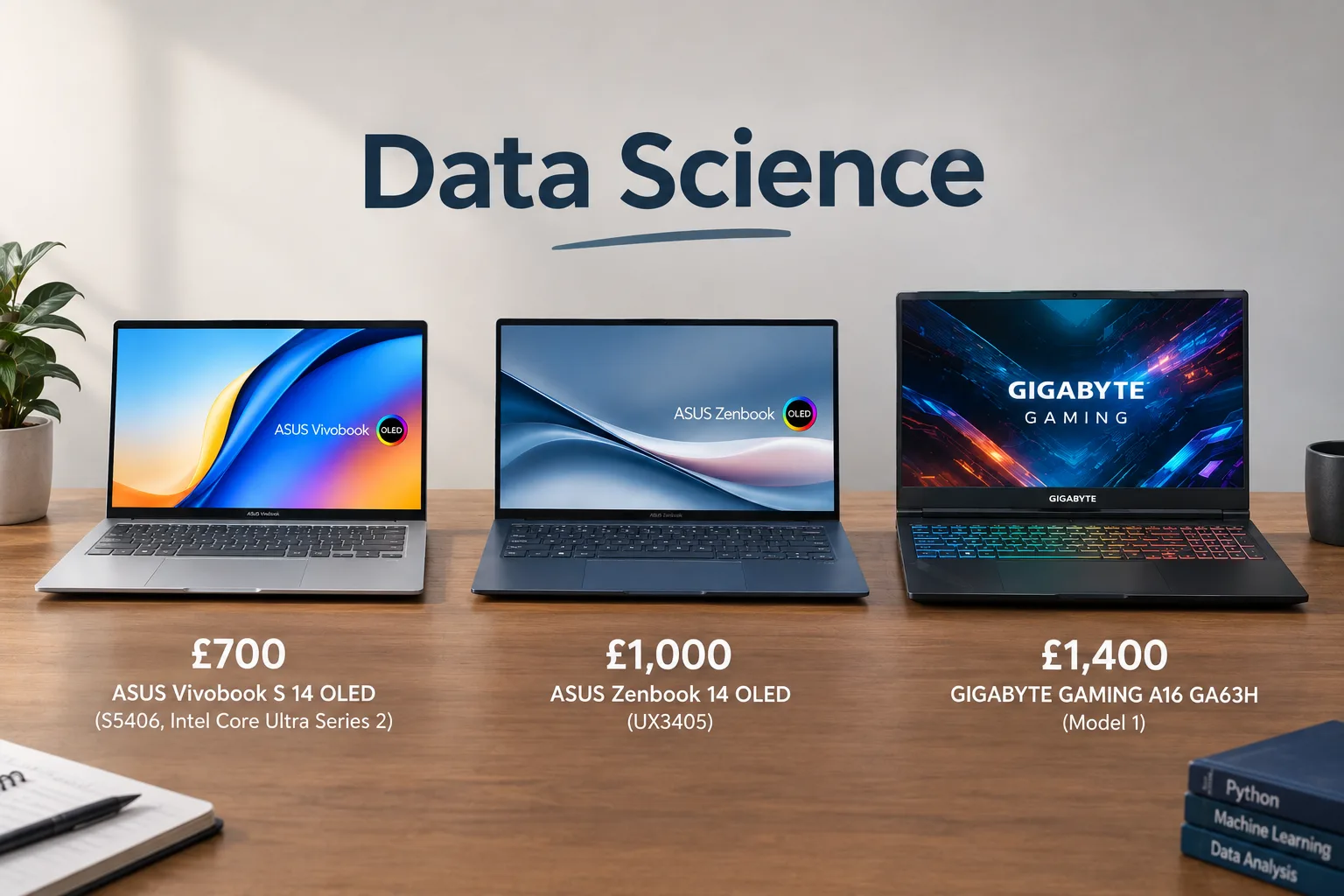
If you are just about to start or currently undertaking a Data Science degree (this blog will also cover Data Science & AI, Mathematics & Data Science and other related courses), it is hard finding the right laptop for you and your degree. This is why we've crunched the numbers, scoured the internet and found the best laptops to get at different price points. In short, these are what we recommend:
£700 – ASUS Vivobook S 14 OLED (S5406, Intel Core Ultra Series 2) Model 1 £1,000 - ASUS Zenbook 14 OLED (UX3405) Model 3 £1,400 - GIGABYTE GAMING A16 GA63H Model 1
You may be thinking why we have recommended these laptops out of the thousands being sold? Why no Macs? So first we need to look at the software you will be using for you degree and the hardware needed to run them. Here we go!
Please note, all information in this article is correct as of Saturday 11th October 2026. Prices and availability may have shifted slightly since publication.
The software you'll be using
We've gone through the important software you'll run during your Data Science degree and worked out the specs you need for each. The full list, along with lists for other subjects, is on the Plample site.
- Python - core from Year 1. Data Science focuses on the 'Modern Python Data Science Stack', including Pandas, NumPy and scikit-learn. Python also covers PyTorch and TensorFlow for deep learning, which set the bar here: a required CPU score of 775, a required GPU score of 9,999, and an ideal RAM of 32GB, though 16GB will handle basic tasks.
- R/RStudio - core from Year 1, used for statistics and modelling. R is a programming language for coding data analysis and visualisation. Low requirements, with no particularly high CPU or GPU needs and at least 16GB RAM.
- SQL - core from Year 1 or 2 depending on the university, used for data querying. A slightly higher CPU requirement of 775 than R, but the same GPU and RAM requirement.
- Jupyter Notebooks - core from Year 1, used to create and share interactive documents. Same requirements as R.
- Git - core from Year 1, used to track file changes and let multiple people work on the same project, handy for group coursework. Same requirements as Jupyter Notebooks.
- Tableau/Power BI - specialist software from Year 2 depending on your modules, used for data visualisation and dashboard building. Very low CPU requirement, a score of 450 is comfortable, with the same GPU and RAM requirements as above. Power BI doesn't run natively on Macs, so on a Mac you'd be using the web app version.
- Hadoop / Spark / Kafka - specialist software from Years 2 and 3 for big data assignments. Slightly higher CPU requirement of 775, same GPU and RAM requirements as above.
- D3.js - specialist software for interactive visualisation. Same requirements as Git.
- Excel - data software from Year 1, used for some data work throughout your degree. Same requirements as Tableau and Power BI.
- Stata/SPSS - only used at some universities, both for data analysis. Same requirements as D3.js.
- LaTeX/Overleaf/Markdown - all used for writing from Year 2 and 3. Markdown is for notes and everyday writing, LaTeX for professional documents, Overleaf for collaborating on LaTeX projects. Very low requirements, 8GB RAM is comfortable.
- Cloud software (AWS, GCP, Azure), MongoDB, Airflow - elective-only, for anyone heading into data engineering. Docker Desktop sets the ceiling here, with the same requirements as SQL.
Overall, the minimum requirements for a Data Science course are pretty reasonable. Aside from PyTorch and TensorFlow, which have fairly high requirements, everything else runs fine on a laptop with 16GB RAM and reasonable CPU and GPU scores. Even PyTorch and TensorFlow will run on 16GB RAM, since it's only the more complex work that needs 32GB, and you're unlikely to be doing that at university anyway. There shouldn't be any major concerns here, as most laptops on the market can easily fulfil these needs.
The Recommendations
Here's what we recommend as the best laptop for Data Science at each price point.
£700 pick
The first laptop that we will be looking at is the ASUS Vivobook, which is currently priced at £649.99 on Amazon. The Vivobook comes with an Intel Core Ultra 5 CPU, Intel Arc Graphics GPU, 16GB RAM and 512GB SSD. Reviewers have raved about the battery life, which some people have reported to last up to 20 hours which is ideal for long days at university. The OLED display has also been described as vivid and having good colour accuracy, which is ideal for some of the software you will be running for the Data Sciences degree. Users have commented that the Vivobook has a solid build quality and lightweight design which is perfect when commuting to university.
Even with the many positives the Vivobook has, there are still a few downsides which are worth considering. Users have reported the webcam's privacy shutter is difficult to operate alongside the glossy display surface causing reflections, which may impact on your ability to work outside during sunny weather. The CPU performance is comparatively lower compared to competitors, but for a low-to-mid-range laptop that is also to be expected. Finally, keyboard backlighting may not be effective due to the light-coloured keyboard which might make working at night slightly more challenging.
ASUS Vivobook S 14 OLED (S5406, Intel Core Ultra Series 2)
ASUS
Match
Very strong match
How this laptop scored against a data science software profile
What buyers have liked
a 92% value score, a lot of laptop for £599.99
79%, with the Arc Graphics 130V notably easy on power draw
512GB meets what the Data Science software stack calls for
We're an affiliate partner of Amazon, so if you buy through this link we get a commission. It costs you nothing extra.
£1,000 pick
Next up is another ASUS laptop, this time the ASUS Zenbook 14 which offers a premium experience relative to the Vivobook (which is usually the more budget-friendly option). The Zenbook is currently being sold on Amazon for £989.00 and comes with an Intel Core Ultra 7 255H CPU, Intel Arc Graphics 140V GPU, 16GB RAM and a whopping 1TB SSD. For students wanting a good display, the Zenbook comes with an OLED display with vibrant colours. Weighing in at 1.2kg, the Zenbook is a lightweight option for those who don't want to be lugging around a heavy laptop when going around campus all day. Reviewers have also praised the battery life which lasts up to 12 hours, meaning it will comfortably last a full day at university without you needing to worry about charging it.
However, even the Zenbook has some drawbacks. Reviewers have said that the keyboard can feel mushy at time and lacks tactile feedback, which isn't ideal for long lock-in sessions. For those wanting a good laptop for entertainment purposes, people have said that the speaker performance is mediocre with little bass which isn't ideal when watching TV shows or films. Users have also experienced thermal throttling under sustained workloads which could be an issue with some of the heavier work you will be doing during your Data Science degree.
ASUS Zenbook 14 OLED (UX3405)
ASUS
Match
Very strong match
How this laptop scored against a data science software profile
What buyers have liked
66%, enough for the full Data Science software stack rather than just the basics
84% battery and efficiency, rated to easily handle full-day use without charging
comfortably clears the 512GB ideal for this degree's software
We're an affiliate partner of Amazon, so if you buy through this link we get a commission. It costs you nothing extra.
£1,400 pick
The final laptop we will be looking at is the Gigabyte Gaming A16 which is currently being sold for £1,399.99 on Amazon (down from £1,449.99). It comes with an AMD Ryzen 7 260 CPU, NVIDIA GeForce RTX 5060 GPU, 16GB RAM and 1TB SSD. With a strong CPU and GPU, the A16 will run your Data Science programmes fine and be able to do heavier work with little to no issues. The battery life has also been widely praised, with reviewers reporting it to last nearly 7.5 hours so will last most days at university. For those who care about the audio, reviewers have stated the audio quality of the A16 is better compared to competitor laptops at a similar price range.
However, there are some issues to bear in mind before committing to the A16. Users have reported that the fan can get quite noisy under heavy levels, reaching up to 55 db(A) which may be an issue when doing heavier Data Science work. Additionally, some have stated the keyboard layout is idiosyncratic and may annoy some users. Finally, the A16 has limited VRAM of 8GB which may hinder future-proofing, which is worth considering for those wanting a laptop to last beyond university.
GIGABYTE GAMING A16 GA63H
Gigabyte
Match
Very strong match
How this laptop scored against a data science software profile
What buyers have liked
79%, only 13% below the ideal, enough headroom for heavier Data Science workloads
76%, with the RTX 5060 rated good on energy efficiency
comfortably meets the ideal 512GB storage for this degree's software
We're an affiliate partner of Amazon, so if you buy through this link we get a commission. It costs you nothing extra.
Conclusion
And there you have it – the best value-for-money laptops you can get for your Data Science degree. Of course, you may have a different budget in mind or you might be open to have refurbished models instead, both of which you can check out on the Plample website. There's no better place to find your perfect laptop match. It's plain and simple.
Skip the spec-sheet stress.
Answer a few plain-English questions and Plample matches you to laptops that fit your needs, budget and the software you actually use.
Find my match →